
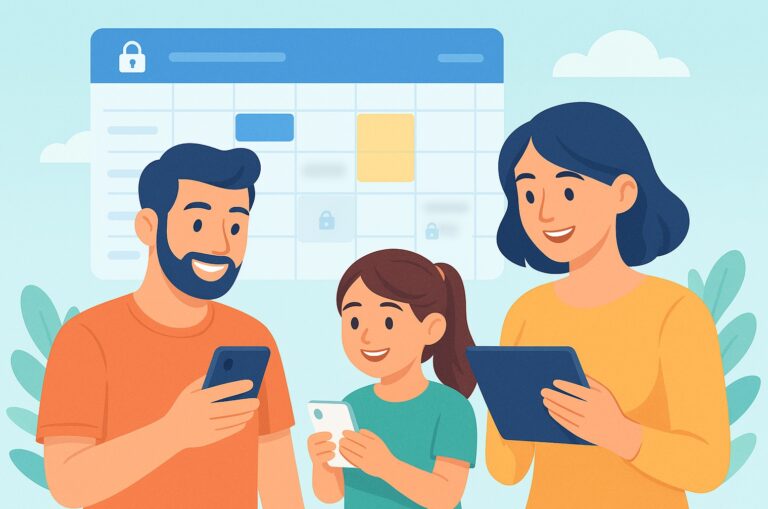
A privacy focused family calendar is the difference between keeping everyone coordinated and accidentally exposing your whole household’s life. If you’ve ever used a shared calendar with privacy controls that still revealed too much, you already know the problem: family scheduling needs visibility, but not blanket visibility. The goal is to let the right people see the right things—without turning your family’s routines, appointments, and locations into public information.
That matters more than many families realize. Parents, caregivers, and children increasingly juggle multiple calendars across work, school, activities, and side chats. Meanwhile, calendar systems are often built for convenience first and privacy second. This article breaks down what a privacy-focused family calendar should actually do, how to choose one, and how to set up granular calendar permissions so you can share schedules without sharing everything.
Privacy Focused Family Calendar: What It Should Protect
A privacy focused family calendar is not just “a calendar with a lock icon.” It’s a system designed to minimize accidental oversharing while still making family coordination easy. The best family calendar privacy setup protects three things:
- Event details — names, notes, locations, links, and attachments.
- Visibility boundaries — who can see a whole event, a partial event, or just a busy block.
- Context — the pattern of your life, which can be sensitive even if no single event seems private.
For many families, the risk isn’t a hacker. It’s over-sharing by default. A partner may not need to see a one-on-one doctor visit. A grandparent helping with pickup may need only the pickup time, not the child’s medical note. A babysitter may need access to a specific evening, not the family’s entire month.
That is why a true private family scheduling app needs more than simple “invite” functions. It needs precise controls that let you share at the event level, person level, and sometimes even field level.
Why Family Calendar Privacy Matters More Than Ever
Families share more digital information than they used to, and calendar data can reveal surprisingly intimate details: medical appointments, school names, travel dates, work shifts, recurring routines, and even when a home is likely empty. The Electronic Frontier Foundation has long highlighted how metadata can be revealing even when the content looks harmless: EFF privacy resources.
There’s also a broader behavioral reality: parents are already under time pressure. A Pew Research Center analysis found that working mothers and fathers juggle significant caregiving and work demands, which is one reason family coordination tools are so heavily relied upon. When time is scarce, people often default to the fastest sharing setting, not the safest one.
That can lead to:
- Unintended disclosure of children’s schedules and locations
- Overly broad access for nannies, relatives, or sitters
- Work-life boundary issues when personal and professional calendars collide
- Stress from trying to manage multiple calendars manually
A privacy focused family calendar helps reduce these risks while still making daily life smoother.
Privacy Focused Family Calendar: The 7 Features That Actually Matter
Not every “family calendar” is built for family calendar privacy. If you’re comparing options, look for these seven features before anything else.
1. Granular calendar permissions
This is the biggest non-negotiable. Granular calendar permissions let you decide who can see what, rather than forcing the same access for everyone. Look for settings like:
- Private, family-wide, or custom visibility per event
- Guest-specific access for external helpers
- The ability to hide notes, titles, or locations
- Read-only versus edit access
If a tool can’t do this, it’s not really a privacy-focused family calendar—it’s just a shared calendar with privacy controls in name only.
2. Partial-event sharing
Sometimes the time matters, but not the detail. For example, “Busy 3–5 pm” may be enough for a school pickup helper, while the full title of the event remains private. This kind of selective sharing is essential for caregivers and extended family.
3. External member access without full household exposure
A secure family organizer app should let you add grandpa, a nanny, an uncle, or a babysitter without giving them a full view of your family’s life. Ideally, they should only see what you explicitly assign to them.
4. Separate personal and shared layers
Your personal events shouldn’t automatically become family events. Look for a unified calendar view that still lets each person maintain private entries. A healthy system is one where you can combine calendars for planning while keeping sensitive items private.
5. Event-by-event review before import
If your app reads from Google Calendar, work calendars, or device calendars, it should never auto-publish everything by default. The best workflow is review-first, share-second. You should be able to approve each event before it appears in the family schedule.
6. Minimal data retention and clear policies
Privacy is not just about who can see data. It’s also about how the app stores and uses it. Read the privacy policy. Look for clear statements on encryption, storage, and whether the company uses your calendar content for advertising.
7. Conflict detection that respects privacy
Smart scheduling should help without exposing more than necessary. A useful app can flag conflicts, suggest open slots, and coordinate around work shifts without requiring everyone to broadcast full calendars to each other.
How to Set Up a Shared Calendar With Privacy Controls
Here’s a practical setup process you can use whether you’re switching apps or tightening the privacy settings on an existing one.
- Start with household roles. List who needs full access, who needs partial access, and who only needs event-specific access.
- Separate “always private” events. Mark medical, legal, financial, and adult-only appointments as private by default.
- Create sharing tiers. For example: household, co-parent, caregiver, extended family, and one-off helper.
- Use time-only sharing where possible. Share the slot without the title when the context isn’t necessary.
- Review imported events one by one. Don’t let external calendars auto-sync into a shared space without checking them first.
- Audit who can edit. Editing permission is much riskier than viewing permission.
- Revisit permissions monthly. Children grow, school routines change, and helpers come and go.
This approach is especially important if you’re using a private family scheduling app to coordinate multiple caregivers or split custody routines. The more people involved, the more precise your permissions need to be.
How Zua Helps Families Share Less and Coordinate Better
Zua is designed for families who want a privacy focused family calendar without losing the convenience of a smart organizer. Instead of forcing everything into one public view, Zua lets you combine personal and family events inside a unified calendar and control the visibility of each item.
That means you can keep an event visible only to yourself, share it with the whole family, or limit it to specific external members. For example, you could share one Tuesday school run with a grandparent or babysitter without opening the rest of your household calendar.
Zua also supports mobile device calendar integration, so it can read from calendars already on your phone, analyze events, and help feed relevant items into the family calendar. Crucially, you retain control: review each event, decide what gets imported, and choose what stays private. That’s the kind of shared calendar with privacy controls families actually need.
If you’re tired of duplicate planning, Zua’s conflict detection and AI auto-scheduler can help spot double bookings and suggest the best slot for new appointments. And because it checks both Zua and device calendars, it can help identify when one parent is overloaded and suggest assigning a task to the other parent.
For families with grandparents, nannies, or co-parents in the loop, Zua’s granular privacy settings make it easier to share exactly what’s relevant. You can learn more on the features page or try Zua free.
Comparison: What to Look for in a Private Family Scheduling App
| Feature | Basic Shared Calendar | Privacy-Focused Family Calendar |
|---|---|---|
| Event-level visibility controls | Sometimes | Yes |
| Granular calendar permissions | No | Yes |
| External helper access | Broad or limited | Custom per person/event |
| Import review before sharing | Rare | Yes |
| Conflict detection | Basic | Smart and privacy-aware |
| Private/personal layer | Weak | Strong |
Which Calendar App Is Most Private?
The honest answer is: it depends on what you mean by “private.” If you mean end-to-end encrypted and designed to minimize provider access, Proton Calendar is often cited as one of the strongest mainstream options. Proton states that its calendar is built with encryption and privacy-first principles: Proton Calendar.
However, “most private” for families may not mean “most encrypted.” It may mean:
- Can I hide a doctor appointment from the rest of the family?
- Can I share a school pickup with a babysitter without exposing everything else?
- Can I mix personal, work, and family calendars without leaking context?
- Can I control exactly who sees each item?
That’s where a purpose-built family organizer app can outperform a generic privacy calendar. Proton is strong on privacy infrastructure, but a family-first tool may be better if your top priority is granular sharing across multiple household roles.
If your main need is secure storage and minimal provider access, Proton may be a good fit. If your main need is family coordination with selective visibility, look for a private family scheduling app built around permissions and household workflows.
Practical Rules for Sharing Schedules Without Sharing Everything
If you want a privacy focused family calendar to work in real life, follow these rules:
- Assume every detail is sensitive unless proven otherwise.
- Share the minimum useful information.
- Use full event details only with people who truly need them.
- Default to private for anything medical, financial, or adult-only.
- Review external access whenever a role changes.
- Prefer tools with granular calendar permissions over one-size-fits-all sharing.
Those rules sound simple, but they solve most of the common calendar privacy failures families run into.
A Better Family Calendar Workflow for Busy Parents
For busy parents, the best calendar is not the one with the most features. It’s the one that reduces mental load while keeping boundaries intact. A good workflow looks like this:
- Capture events quickly from texts, emails, screenshots, or voice notes.
- Review what should stay private versus what should be shared.
- Assign visibility based on role, not convenience.
- Use conflict detection to prevent double-booking.
- Let the system remind the right person at the right time.
Zua is built around that model, which is why it works well for households juggling work calendars, school events, and caregiving responsibilities. If you want a privacy focused family calendar that feels practical instead of cumbersome, that balance matters.
Frequently Asked Questions
Is Proton Calendar truly private?
Proton Calendar is one of the more privacy-forward mainstream calendar apps. Proton says it uses a privacy-first architecture and encryption-focused approach to protect user data. That said, “truly private” depends on your use case. If you need secure storage and strong provider privacy, it’s a solid option. If you need a family calendar with privacy controls and selective sharing across multiple people, a family-first tool may fit better.
Which calendar app is most private?
There isn’t one universal winner. For privacy infrastructure, Proton Calendar is often a top contender. For family scheduling, the most private app is usually the one that combines strong privacy practices with granular calendar permissions, event-level sharing, and limited access for external helpers. In other words, the “most private” app is the one that protects both the data and the way you share it.
What is the best way to share a family calendar without oversharing?
Use a shared calendar with privacy controls that lets you set visibility per event. Share only the time slot or a generic label when full details aren’t needed. Separate personal, work, and family layers, and give external helpers access only to the specific items they need.
How can I tell if a family organizer app is actually privacy-friendly?
Check whether it offers granular calendar permissions, event-by-event sharing, review before import, clear privacy policies, and edit restrictions. If it shares everything by default or makes it hard to hide sensitive events, it’s probably not a true privacy focused family calendar.