
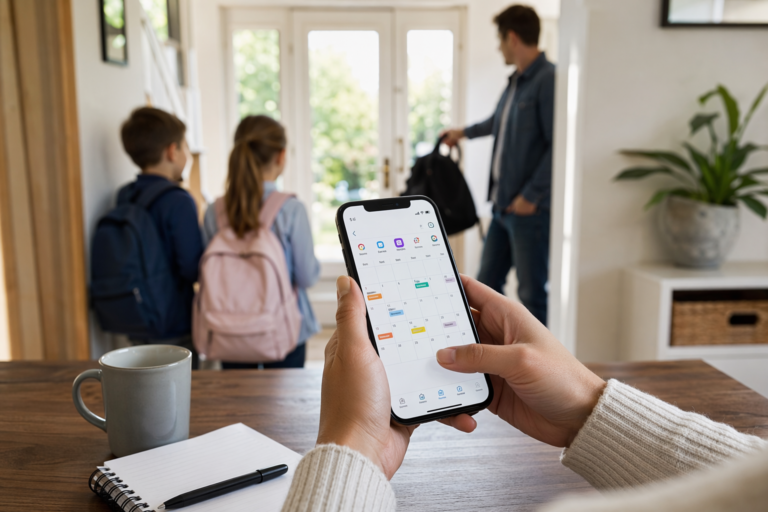
If you’re looking for an app to manage kids activities and school events, you probably don’t need another simple calendar—you need a system that can handle permission slips, swim practice, class parties, doctor appointments, work meetings, and the daily chaos of who is responsible for pickup. That’s exactly where Zua – AI Family Assistant fits in: it combines scheduling, reminders, shared visibility, and smart task capture so busy parents can finally see the whole family picture in one place.
This guide explains what to look for in the best app to manage kids activities and school events, how to set up a smarter family workflow, and why Zua’s AI-powered approach is different from a basic kids activity planner or parent scheduling app.
Why the best app to manage kids activities and school events needs to do more than show dates
Kids’ schedules are not just “events.” They are responsibilities, recurring tasks, time-sensitive reminders, and often shared decisions. A school event organizer should help you answer questions like:
- Who is taking which child to which activity?
- Did the school newsletter mention a spirit day or costume requirement?
- Is there a conflict between after-school pickup and a work meeting?
- What information should be visible to grandparents, a nanny, or a babysitter?
That complexity matters because family scheduling failures are usually not caused by forgetting one big event—they happen when small details slip through the cracks. Research from the American Psychological Association shows that stress is a major concern for parents, and time pressure is one of the most common triggers. See the APA’s overview of parent stress here: American Psychological Association: Parenting and stress.
A good app to manage kids activities and school events should reduce friction in four ways:
- Unify the family calendar so everyone’s commitments are visible together.
- Detect conflicts early before you end up double-booked.
- Capture information instantly from emails, screenshots, voice notes, and messages.
- Support privacy and shared access so each family member sees only what they need.
Zua is built for exactly that kind of family coordination.
App to manage kids activities and school events: what smart parents should look for
When comparing any app to manage kids activities and school events, don’t start with aesthetics—start with workflow. The best tools save time on both planning and remembering. Here’s the checklist that actually matters.
1. A unified family calendar view
The biggest upgrade you can get from a family scheduling app is a “big picture” view. Zua’s unified calendar brings together school events, work commitments, personal appointments, and family obligations so you can see who needs to be where, and who is actually free to help.
This is especially useful when both parents work, when kids have multiple after-school activities, or when caregivers such as grandparents or babysitters need access to only certain events. Instead of opening three calendars and mentally merging them, Zua gives you one family dashboard.
2. Conflict detection before the conflict happens
One of the most valuable features in a parent scheduling app is automatic conflict detection. Zua reads your device calendars, analyzes imported events, and flags double bookings before they become a household debate.
Even better, Zua can suggest the best slot for a new appointment based on your preferences and existing commitments. If one parent is already busy, Zua can recommend assigning a kid-related task to the other parent. That turns scheduling from “who can do it?” into “what’s the smartest option?”
3. Fast capture from the places parents already live
Parents don’t have time for manual data entry. A truly useful kids activity planner has to read information from the channels you already use:
- WhatsApp messages
- Forwarded emails from school or clubs
- Birthday invitation screenshots
- Voice notes from your partner
- PDFs and web pages via native share tools
Zua turns those inputs into structured tasks, reminders, and calendar items automatically. That means the school email about “Crazy Sock Day” doesn’t sit unread in your inbox—it becomes a visible heads-up in your family workflow.
4. Granular privacy controls
Families are rarely one-size-fits-all. You may want to share the Tuesday school run with a grandparent but not expose the whole week’s calendar. Zua’s granular privacy settings allow you to share specific events with specific people, whether that’s a nanny, uncle, babysitter, or extended family member.
This is a major differentiator for any app to manage kids activities and school events because it avoids the “all-or-nothing” trap that makes many family tools awkward to use.
How Zua works as an app to manage kids activities and school events
Zua is designed to be more than a list app. It acts like a family coordination layer that helps you move from information overload to action. Here’s how the system works in practice.
Smart Calendar & Scheduling
Zua creates a unified “Big Picture” view of your family. You can combine personal and family events and decide exactly who can see each item: just you, the whole family, or selected external members. It also integrates with your existing calendars, analyzes imported events, and helps prevent duplication and scheduling clashes.
If you’ve ever realized at 7:45 a.m. that one child has a field trip, another has PE kit day, and a third needs to be dropped at music class, you already understand why a family calendar app must be proactive—not passive.
Intelligent Task Management
Most to-do apps turn family life into an endless list. Zua’s Action Engine organizes tasks into three meaningful types:
- To-Dos: one-off actions like “book theatre tickets” or “buy a gift for Leo”
- Chores: recurring tasks that appear just in time, not weeks early
- Heads-ups: time-sensitive information like “PE kit required today” or “Crazy Sock Day”
This distinction matters because not every item should sit in your face all week. By hiding chores until they matter and auto-dismissing passive reminders after they pass, Zua reduces the clutter that makes other apps feel stressful.
Universal capture via chat, email, screenshot, and voice
Zua lets you organize life in the way parents actually communicate. You can chat with Zua on WhatsApp, forward school emails, share screenshots, or send a voice note. The app extracts the dates, actions, and context automatically, then stores the original source safely.
That means less copying and pasting, fewer missed details, and much less “Did you see the email?” back-and-forth.
Semantic search and the family brain
As a family grows, the hard part is not storing information—it’s finding it later. Zua’s “Family Brain” concept uses semantic search so you can retrieve details based on meaning, not just exact wording. If you ask about the birthday invitation, school form, or lesson confirmation, the app can help you locate the relevant item quickly.
That’s a powerful upgrade for any app to manage kids activities and school events because it turns your family archive into something actually usable.
How to set up Zua as your family scheduling app in 15 minutes
If you want immediate value, don’t try to perfect everything on day one. Start with the highest-friction family events first.
- Connect your existing calendars. Import Google Calendar or other work calendars so Zua can build the family overview.
- Add recurring school and activity events. Include practices, pickup times, assembly days, and lesson schedules.
- Set visibility rules. Decide what stays private, what’s shared with the whole family, and what can be shared externally.
- Capture school communication. Forward newsletters, invitations, and confirmations directly into Zua.
- Create just-in-time chores. Add recurring family tasks like packing sports bags or taking out bins.
- Invite caregivers selectively. Share only the specific events they need to see.
- Use voice for fast updates. If you think of something while driving or cooking, speak it into Zua immediately.
Once that system is set up, the app to manage kids activities and school events starts doing the remembering for you. That is where the real time savings appear.
What makes Zua different from a typical family calendar app
Most calendars show time. Zua helps manage responsibility.
| Capability | Basic calendar app | Zua – AI Family Assistant |
|---|---|---|
| Unified family view | Sometimes | Yes, with a “Big Picture” view |
| Conflict detection | Limited | AI-based conflict spotting and suggestions |
| Import from email/screenshots/WhatsApp | No | Yes |
| Granular privacy | Usually basic | Yes, share by person and event |
| Just-in-time chores and passive heads-ups | No | Yes |
| Family semantic search | No | Yes |
That difference matters if you’re trying to use one app to manage kids activities and school events, plus everything else that happens around them.
Why busy parents should care about reducing “admin work”
The hidden cost of family life is not the event itself—it’s the admin around the event. The school run is easy to understand; the permission slip, outfit requirement, snack reminder, and logistics are what create friction.
That’s why a strong family scheduling app should act like a filter, not just a planner. It should:
- turn incoming messages into structured tasks
- separate urgent items from future noise
- share context with the right people automatically
- reduce repeated checking and re-checking
According to U.S. Census Bureau data, family households remain a significant part of American life, and many households are balancing work with caregiving and coordination demands. For broader context on family life and household structure, see the Census Bureau’s family statistics resources: U.S. Census Bureau: Families.
In other words, the best app to manage kids activities and school events is not just about organization. It’s about protecting time and attention.
Should you use a dedicated kids activity planner or a full family scheduling app?
If your family schedule is simple, a basic planner may be enough. But if you have school events, rotating pickup duties, multiple calendars, caregiver sharing, and a steady stream of school communications, a dedicated family scheduling app is the smarter choice.
Choose a dedicated system when you need:
- shared visibility across parents and caregivers
- automatic import from emails, screenshots, and messages
- conflict detection across work and family calendars
- event-specific privacy controls
- a single source of truth for school and activity logistics
If that sounds like your life, Zua is worth a try. You can explore the product here: Zua features or try Zua free.
Frequently Asked Questions
What is the best app to manage kids activities and school events?
The best app to manage kids activities and school events is one that combines a shared family calendar, smart reminders, conflict detection, and easy capture from school emails or messages. Zua is designed for that use case because it helps parents organize events, tasks, and school information in one place.
How is a family calendar app different from a regular calendar?
A family calendar app is built for coordination, not just scheduling. It helps multiple people see relevant events, manage responsibilities, and avoid clashes across school, work, and home life. Zua adds privacy controls and AI-based scheduling help that a standard calendar usually doesn’t provide.
Can a parent scheduling app help prevent missed school events?
Yes. A parent scheduling app can reduce missed events by pulling information from emails, messages, and shared calendars into one system. Zua goes further by turning school notices into actionable reminders and using just-in-time heads-ups so important details appear when you actually need them.
How do I keep grandparents or babysitters updated without sharing everything?
Use an app with granular privacy settings. Zua lets you share specific events with specific people, so a grandparent or babysitter can see only the school run, activity pickup, or appointment they need to know about—without exposing the full family calendar.